Auto Refresh Chrome Tabs
& Monitor Any Webpage
Automatically reload Chrome tabs, monitor webpage changes, track keywords, run custom automation scripts, and receive instant notifications when a match is found. RefreshPilot combines flexible auto refresh timing with powerful webpage monitoring, visual countdowns, automated actions, and real-time alerts in one lightweight Chrome extension.
- Free plan available
- Cloud Settings Sync
- Works with Chrome and Chromium browsers
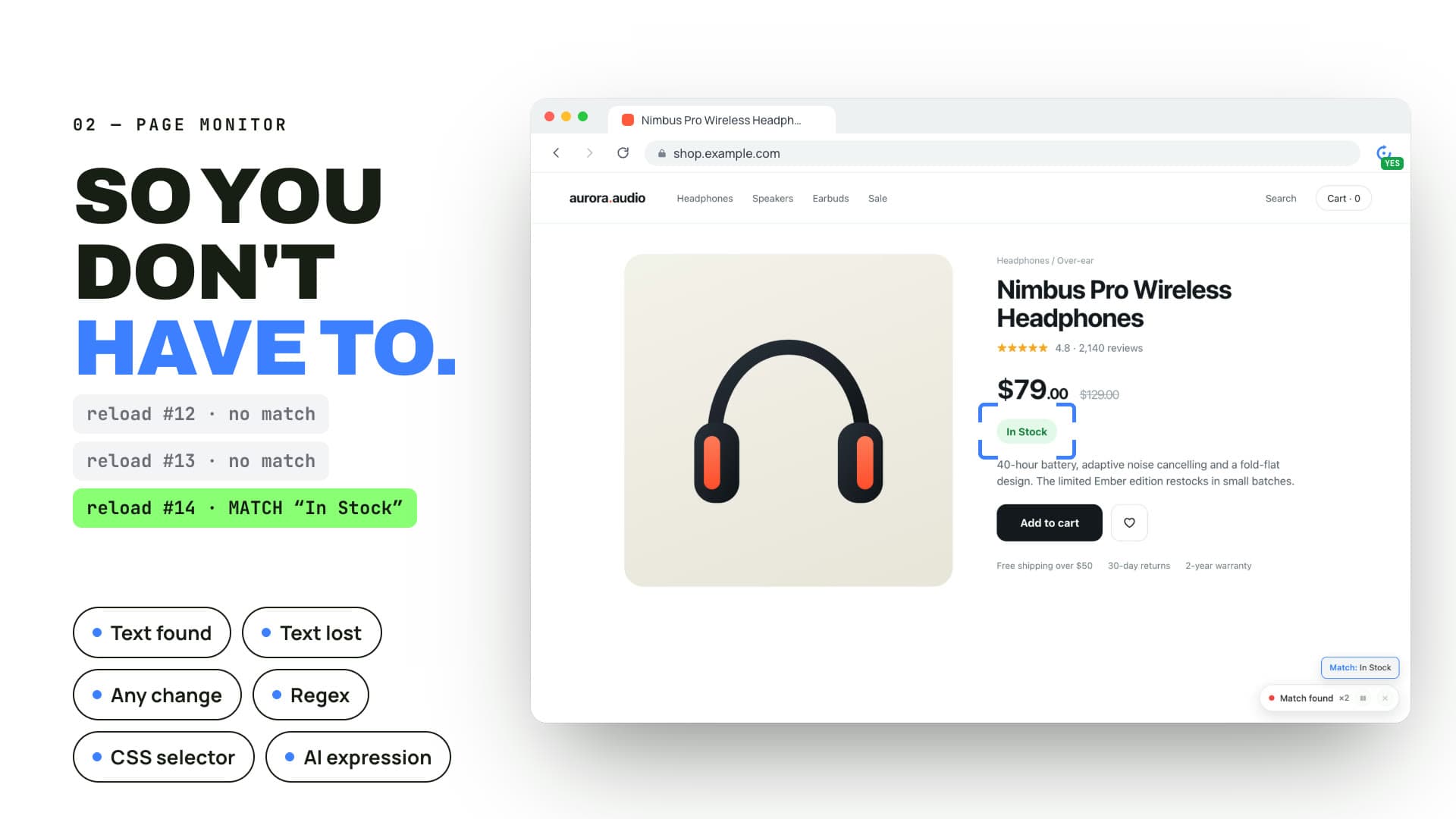
Whether you need to auto refresh a live analytics dashboard, track product restocks, monitor ticket releases, watch appointment portals, follow job listings, or keep a frequently changing webpage updated, RefreshPilot helps automate repetitive browser tasks without requiring you to constantly check the same page manually.
With flexible schedules, keyword monitoring, change detection, CSS selectors, Regex matching, custom JavaScript, and multiple notification options, RefreshPilot works as both a simple auto refresh extension and a more advanced webpage monitoring tool.
Auto refresh
The Simple & Smart Auto Refresh Solution
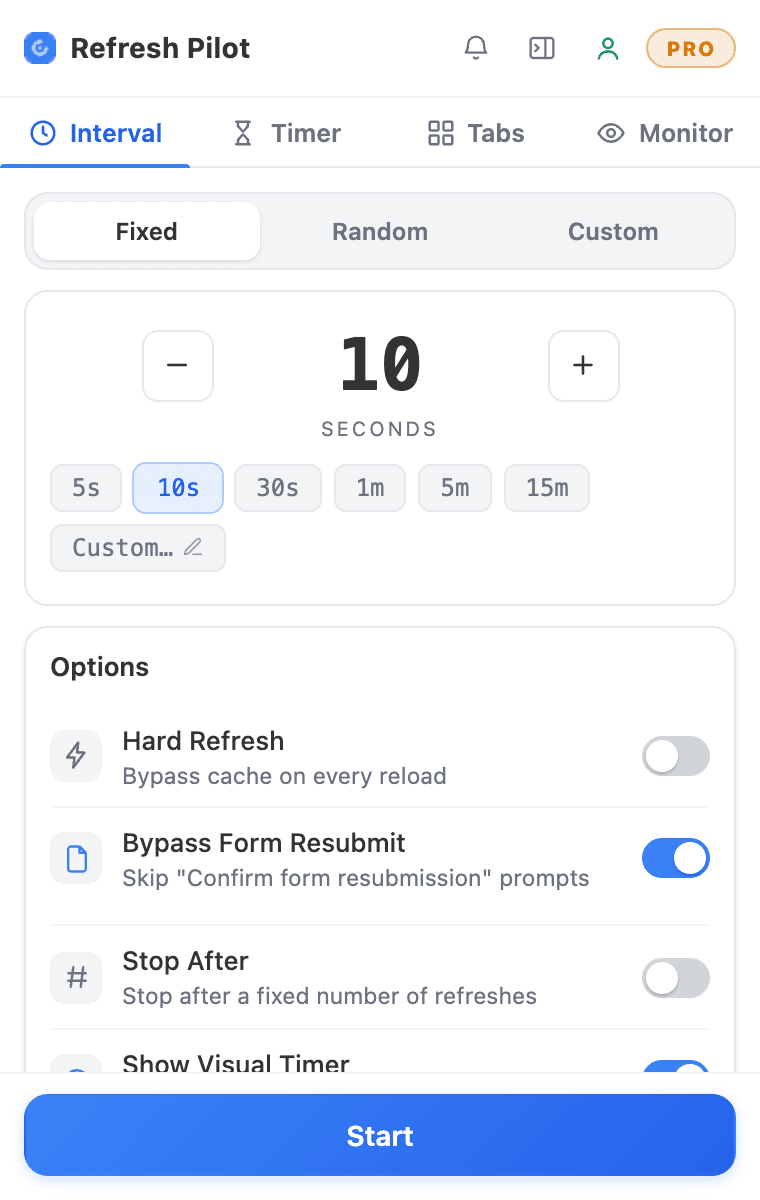
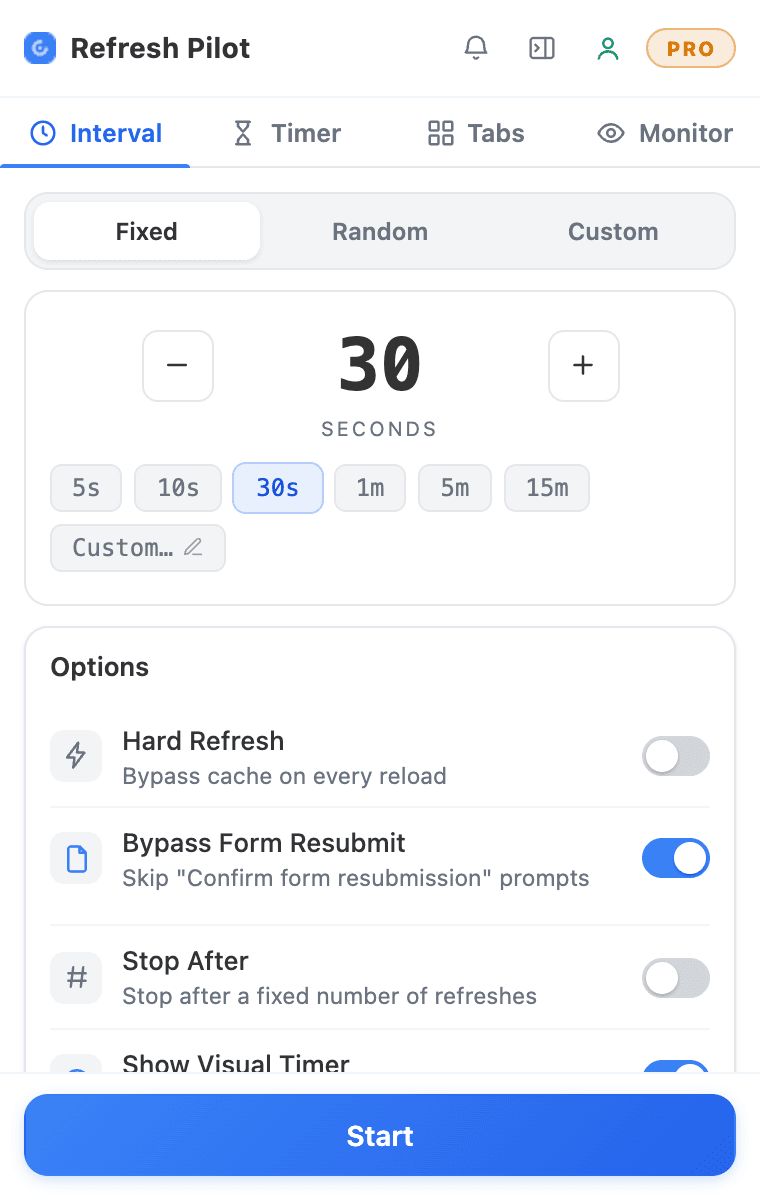
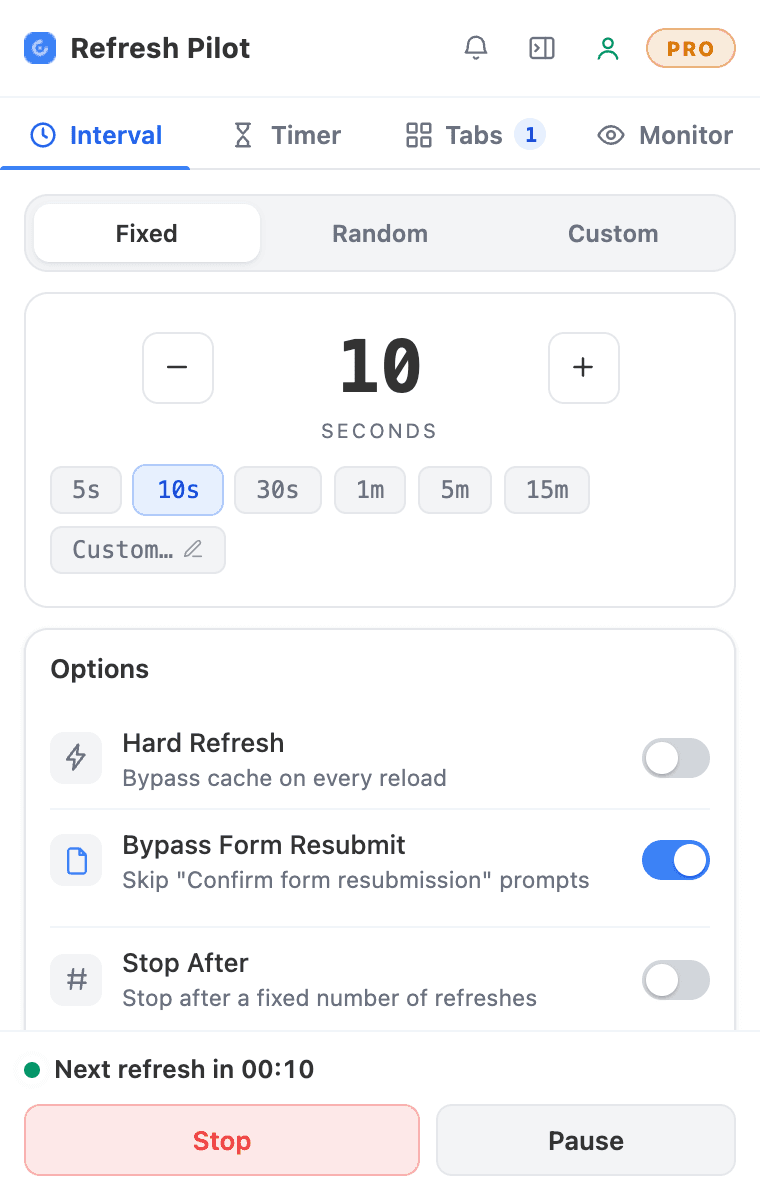
Refreshing the same webpage manually can become frustrating, especially when you need to check it repeatedly throughout the day. RefreshPilot makes auto refresh simple by allowing you to choose when and how often a Chrome tab should reload while you focus on other tasks.
For simple workflows, select a preset interval and start refreshing. You can choose short intervals such as 5 or 10 seconds, longer intervals such as 1 or 5 minutes, or create a custom schedule based on your requirements. If you need more flexibility, randomized intervals allow the refresh timing to vary within a range you select.
Auto refresh can also be combined with webpage monitoring when simply reloading a page is not enough. Monitor specific words, phrases, page regions, or supported webpage changes and receive an alert when the information you are waiting for appears, disappears, or changes.
 00:0600:0900:0800:0700:0600:0500:0400:03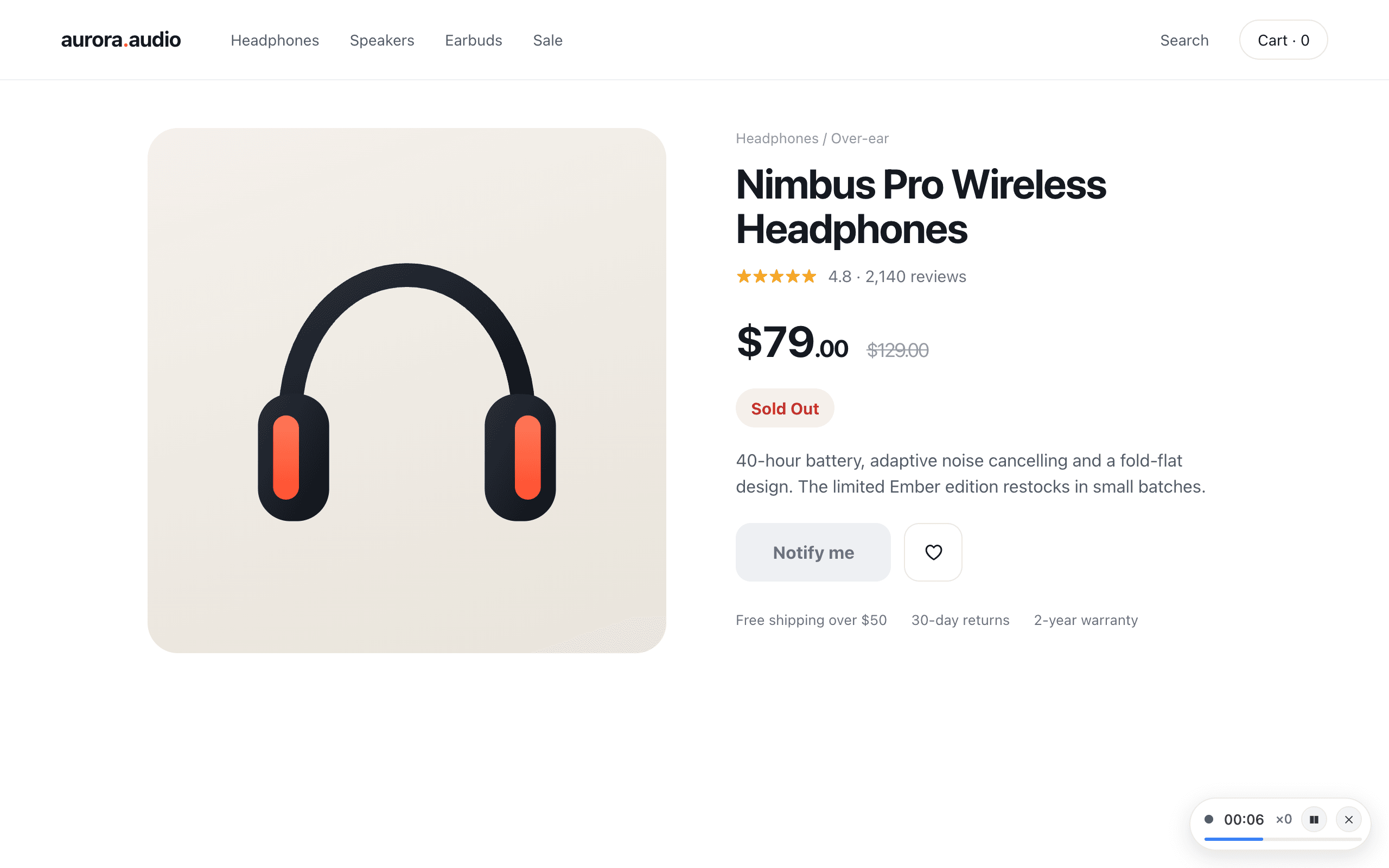
Refresh controls
Everything You Need to Automate Tab Refreshing
Flexible Time Intervals & Smart Reloading
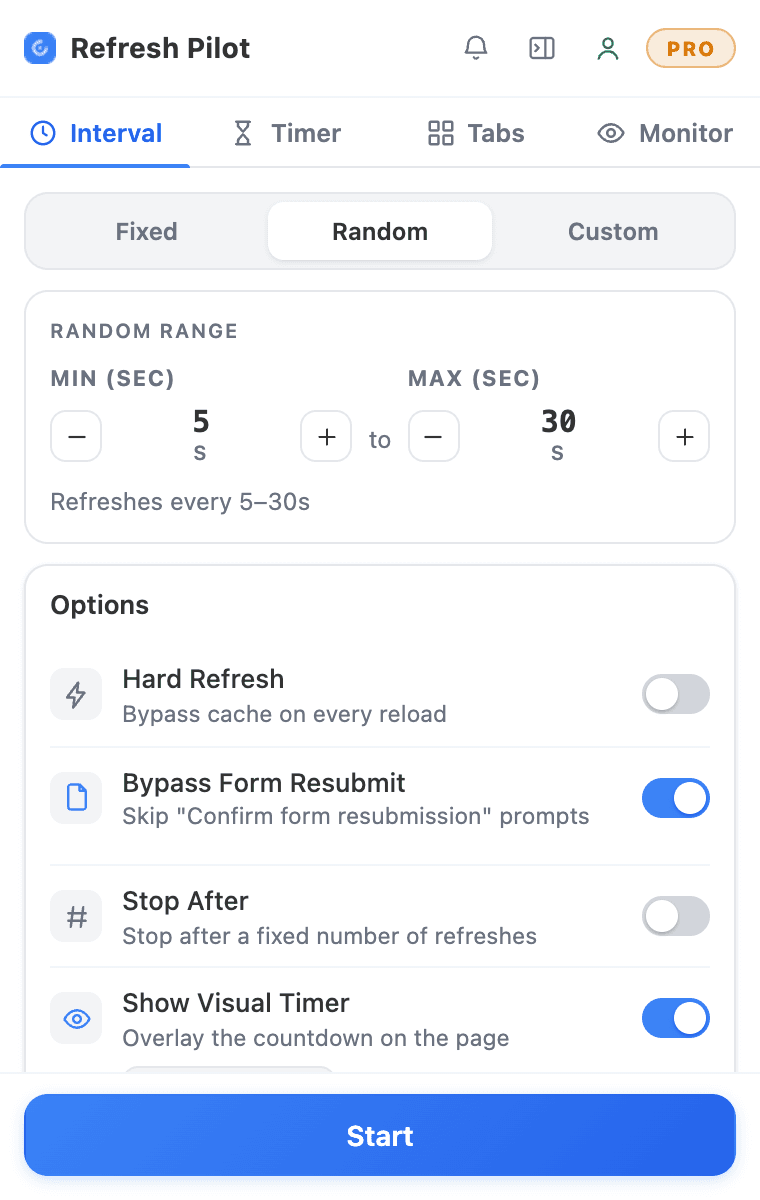
Preset & Custom Schedules
Control exactly how frequently your webpage should reload. RefreshPilot provides convenient preset refresh intervals for common tasks while also allowing you to configure custom timing.
Whether you need Chrome auto refresh every few seconds, every minute, every few minutes, or according to a specific custom schedule, you can adjust the refresh cycle to fit your workflow.
Randomized Intervals
A fixed refresh schedule is not always the right choice. RefreshPilot allows you to set a minimum and maximum interval so that the time between page reloads can vary within your selected range.
This gives you more flexibility when a predictable refresh cycle is not required and allows you to create a more varied auto refresh schedule.
Hard Refreshes
A normal reload may sometimes display cached information instead of the latest available page content. RefreshPilot provides a hard refresh option for supported workflows when you need to request fresh content from the server.
This can be useful when monitoring frequently changing dashboards, product inventory, prices, status pages, ticket information, or other webpages where current information matters during an auto refresh workflow.
Bypass Form Resubmission
Some websites display form resubmission warnings after a page is refreshed. RefreshPilot provides supported functionality for handling these prompts so they do not unnecessarily interrupt your automated browser workflow.
Auto-Scroll Restoration
Refreshing a long webpage can move you back to the top of the page. RefreshPilot can restore your previous scroll position after supported reloads, making long-running auto refresh workflows easier to use.
Error Handling & Detection
RefreshPilot can detect supported webpage errors, including certain 4xx and 5xx responses or timeout conditions. Depending on your configuration, you can pause the workflow or trigger an alert when an error is detected.
This gives you greater control when running an auto refresh extension for pages that may occasionally become unavailable.
Visual Countdown Overlay & Toolbar Badge
The on-page countdown
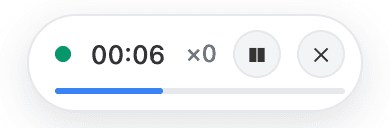
On-Page Countdown
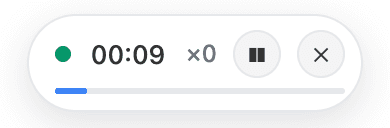
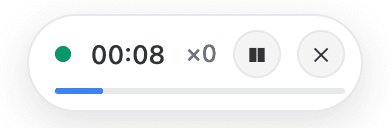
Know exactly when your next auto refresh is coming with a visible countdown overlay on the webpage. The countdown helps you keep track of the remaining time without repeatedly opening the extension.
Visual countdown timerToolbar Badge
You can also see the remaining refresh time from the RefreshPilot toolbar icon, making it easier to monitor active Chrome tabs while continuing with other work.
Overlay and badge guideSystem Sleep Prevention
Long-running webpage monitoring can be interrupted when a computer goes to sleep. RefreshPilot provides supported functionality to help keep your computer awake while an active Chrome auto refresh workflow is running.
Page monitor
Intelligent Page & Keyword Monitoring
Automatic page refreshing is useful when you simply need a webpage to reload, but many monitoring tasks require you to know when something specific changes.
RefreshPilot combines auto refresh with webpage monitoring so you can continuously check for specific information instead of manually reviewing the entire page after every reload.
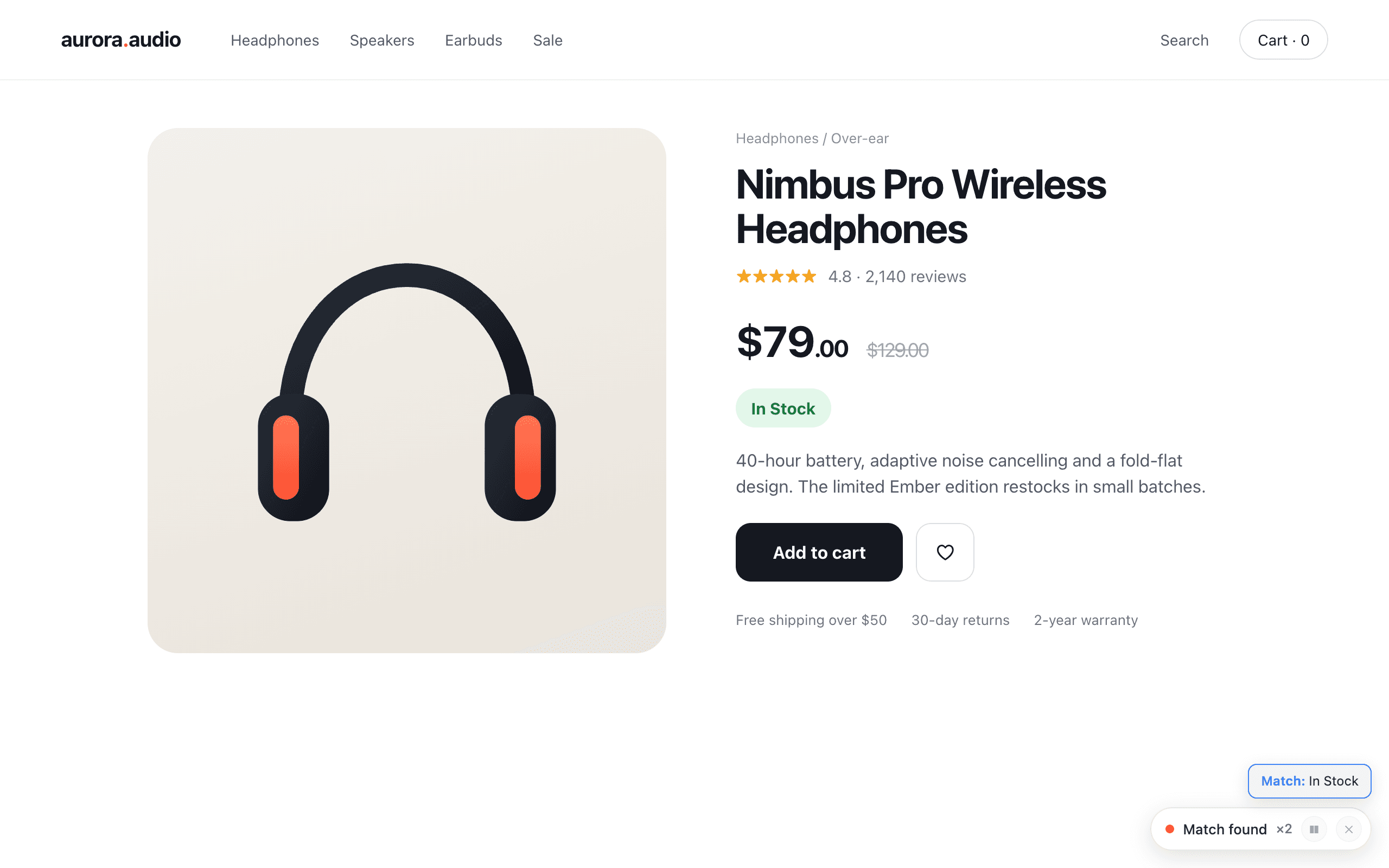
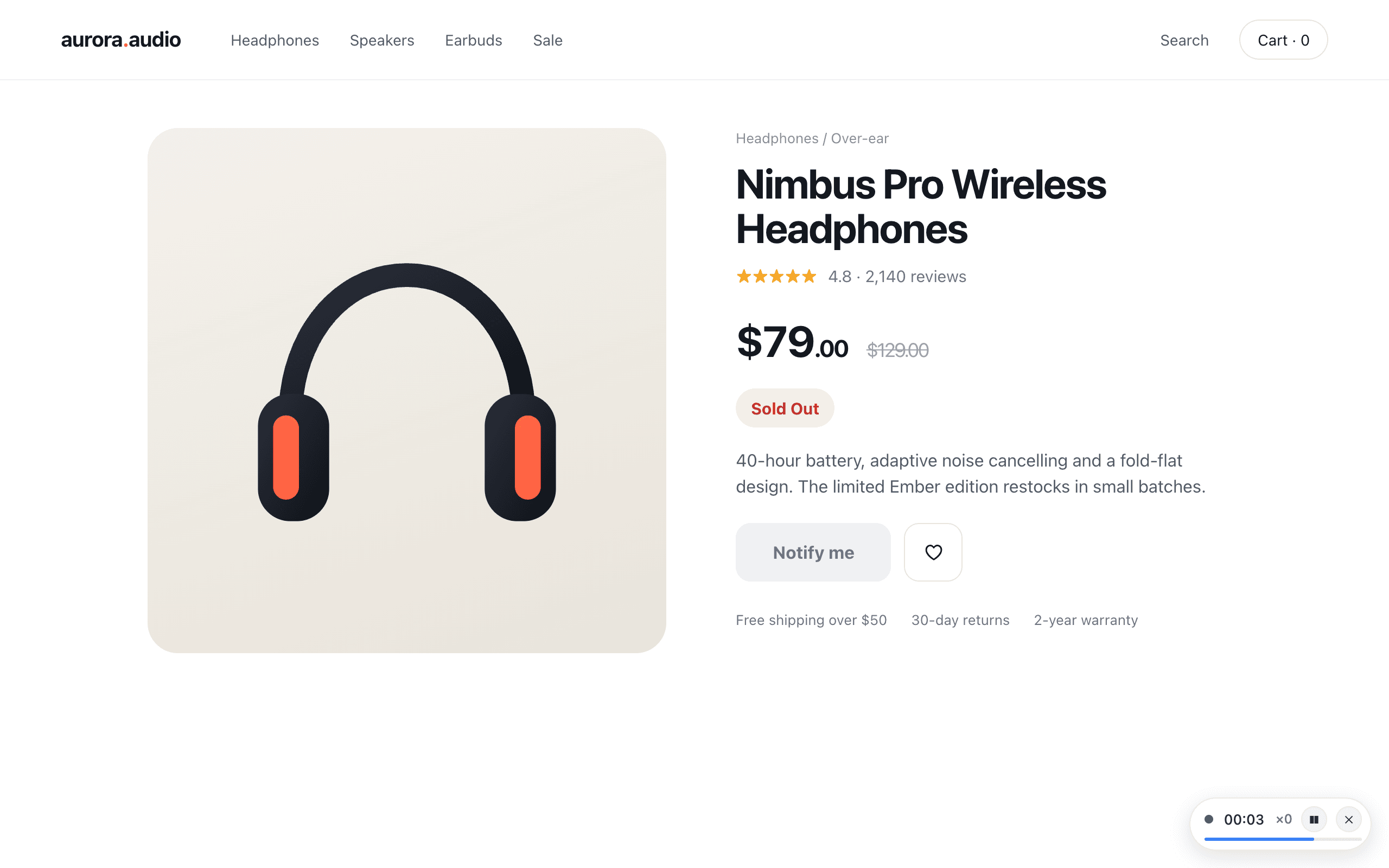
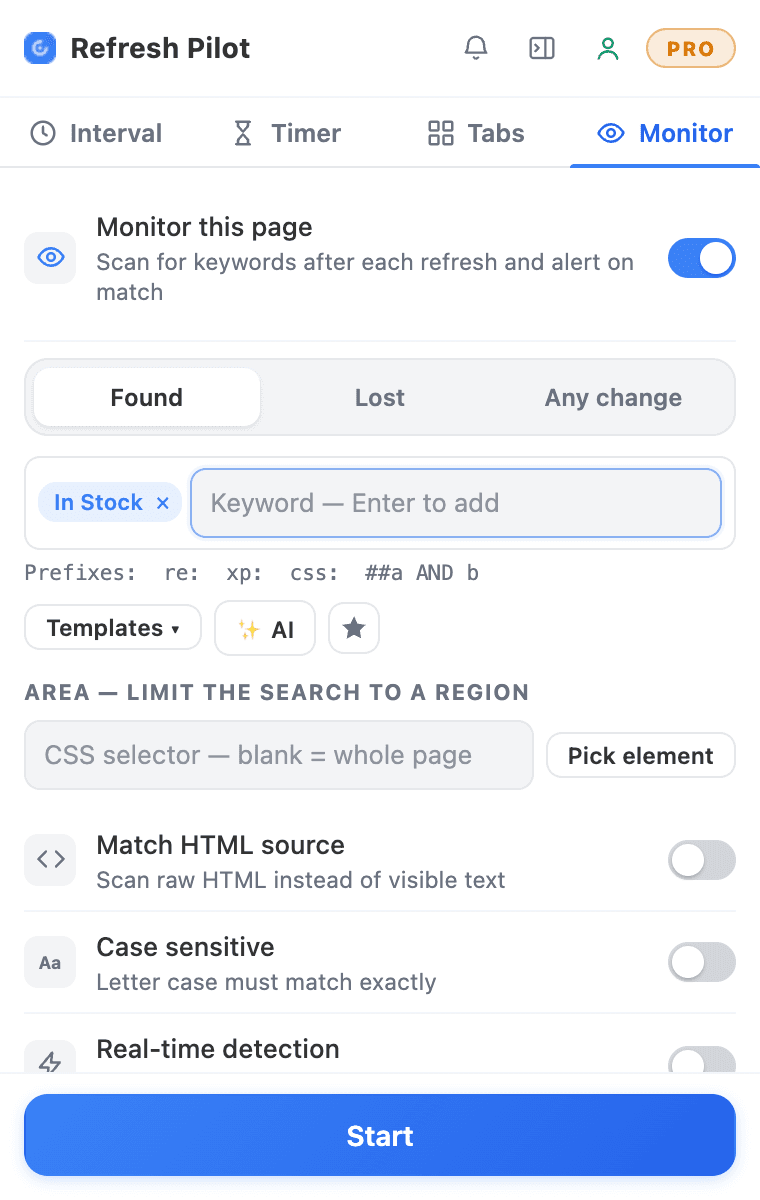
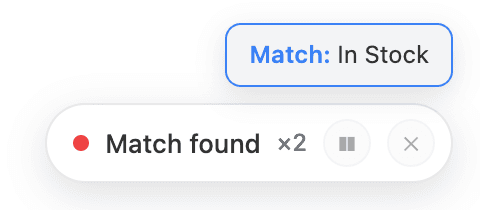
Text Found / Lost
Monitor a specific word or phrase and configure RefreshPilot to react when the target text appears or disappears.
You can monitor phrases such as "In Stock," "Tickets Available," "Appointment Available," product names, job titles, prices, status updates, or any other relevant text supported by the monitoring system.
The page can be refreshed automatically while RefreshPilot checks the selected condition during the monitoring cycle.
Content Change Detection
Not every important update can be identified with one specific keyword. RefreshPilot can monitor supported webpage content and detect changes between refreshes.
This is useful when you know that something on a page will change but you do not know exactly what the new text will be. Combined with auto refresh Chrome functionality, the monitoring process can continue without manual checking.
Region-Specific Monitoring
If you only care about one part of a webpage, you can focus monitoring on a specific area rather than checking the entire page.
Use CSS selectors such as #price, .stock-status, or #product-status to identify the relevant section. This makes your auto refresh and monitoring workflow more focused and efficient.
AI Expression Generator
You do not always need to know how to create a technical monitoring expression. With the AI Expression Generator, you can describe what you want to monitor in plain English and let AI help generate the required expression.
Source Code Matching
RefreshPilot can also monitor supported webpage source code when the information you need is easier to identify within the HTML rather than the visible page content.
Real-Time Monitoring
Combine auto refresh with supported dynamic-content monitoring to keep track of webpages that update information without requiring a completely new page load.
Actions & alerts
Automated Actions & Multi-Channel Alerts
Refreshing and monitoring a page is only part of the workflow. RefreshPilot can also perform supported actions when your monitoring condition is detected.
Auto-Click Elements
Automatically click supported buttons or links when a matching element appears on the page. This can help automate repetitive interactions after a monitored condition has been detected.
Tab Focus
When RefreshPilot detects a match, it can bring the relevant Chrome tab to the front so you can immediately see the page and respond to the update.
Stop or Continue
Choose what happens after a monitoring condition is detected. You can configure the workflow to stop auto refresh when a match is found or continue according to your selected settings.
Auto-stop rules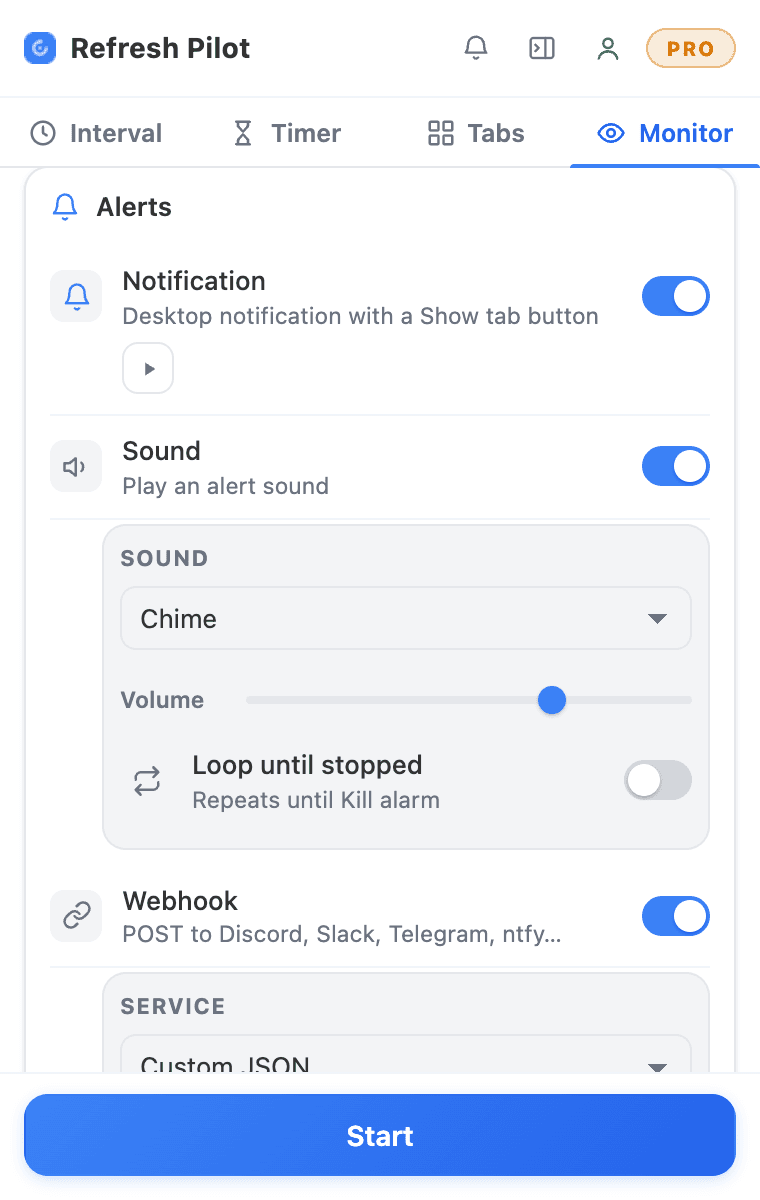
Instant Alerts
Stay informed without constantly watching the browser.
RefreshPilot supports multiple alert methods, including desktop notifications, sound alerts, email notifications, and webhooks. You can choose the notification method that best fits your workflow.
Desktop Notifications
Receive a notification directly on your computer when your selected monitoring condition is detected.
Desktop notificationsSound Alerts
Use sound notifications when you need an immediate signal that something has changed. Supported sound options can include built-in sounds and custom audio.
Alerts guideEmail Alerts
Receive an email when a supported monitoring condition is triggered, making it easier to stay informed when you are not actively looking at the browser.
Email alertsWebhook Alerts
Connect webpage monitoring events with supported services through webhooks. This can be useful for workflows involving Discord, Slack, Telegram, or your own supported endpoint.
Webhook integration
Scripts
Custom JavaScript Scripts & Script Marketplace
RefreshPilot is not limited to basic auto refresh functionality. Advanced users can use scripts to automate supported browser actions and create more customized workflows.
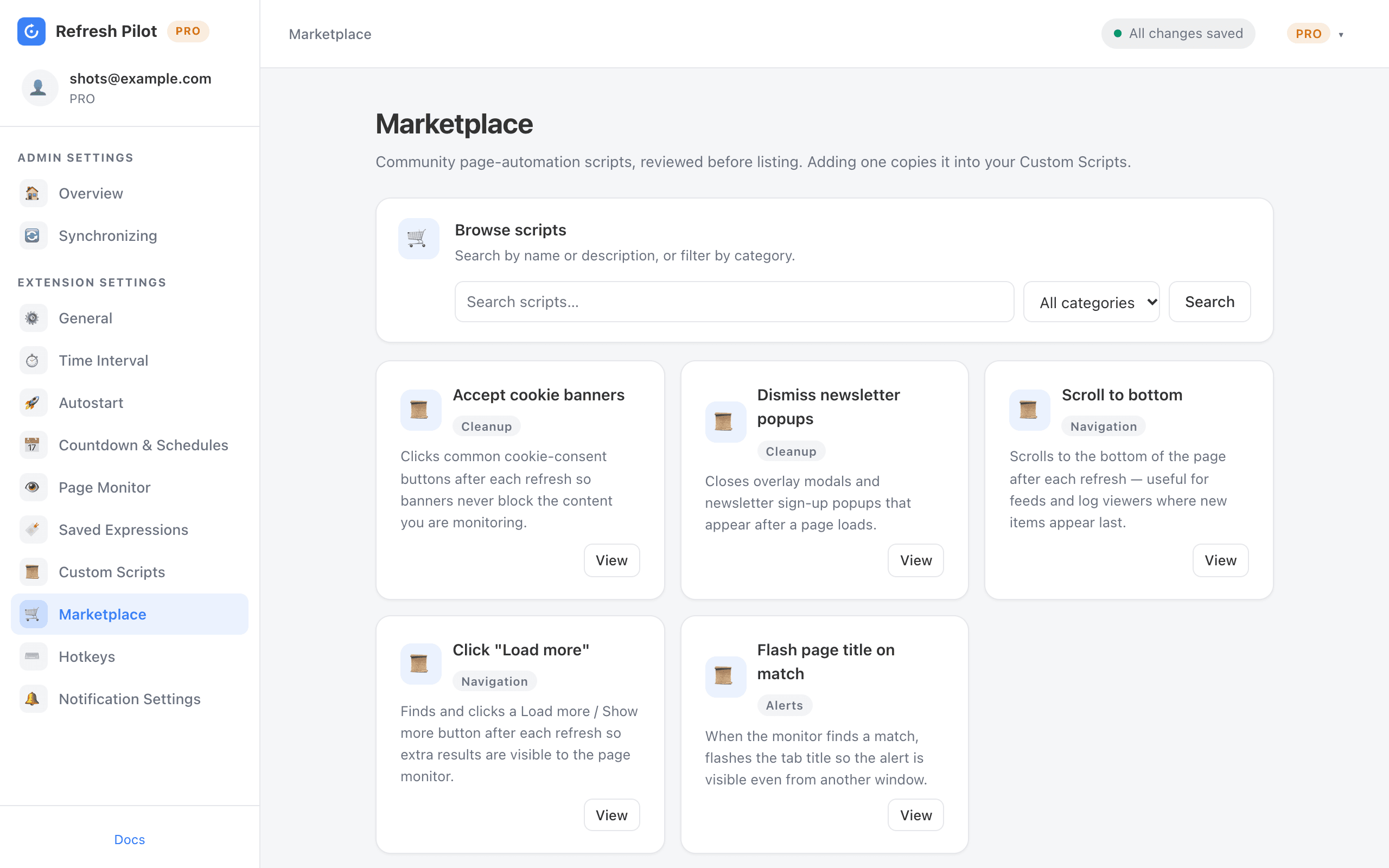
Script Marketplace
Use ready-made automation scripts for common browser tasks such as scrolling to the bottom of a page, dismissing newsletter popups, accepting cookie banners, or clicking "Load More."
These ready-made scripts can save time when you need to perform the same browser action repeatedly alongside an auto refresh extension.
Custom Code Execution
Run custom JavaScript scripts at supported points in your workflow, including after page loads, before refreshes, or when a monitoring condition is detected.
This gives advanced users more control over how their Chrome auto refresh workflows interact with supported webpage elements.
AI Script Generator
You can also describe your desired browser automation in plain language and use the AI Script Generator to help generate a custom JavaScript script.
Instead of manually writing the automation logic, explain what you want the browser to do and let AI help create the script.
How it works
Set Up RefreshPilot in 4 Easy Steps
1. Install the Extension
Add RefreshPilot to Chrome and open the webpage you want to refresh or monitor.
2. Set Your Refresh Interval
Select a preset interval, create a custom schedule, or configure randomized timing according to your requirements.
3. Configure Page Monitoring
If you are waiting for something specific, add a keyword, Regex expression, CSS selector, or supported webpage-change condition.
4. Enable Alerts & Start
Choose your preferred alert method, configure any required automation actions, and click Start. RefreshPilot will handle the auto refresh and monitoring workflow according to your settings.
Compare
RefreshPilot vs. Manual Refreshing
Manually pressing F5 works when you only need to reload a webpage occasionally. However, repeatedly refreshing a page and checking for changes can become repetitive and time-consuming.
RefreshPilot lets you configure your auto refresh workflow once and combine automatic reloads with monitoring, alerts, and supported browser automation.
| Feature / Capability | RefreshPilot | Manual Reload |
|---|---|---|
| Automatic Scheduled Reloads | Yes | No |
| Custom Refresh Intervals | Yes | No |
| Randomized Intervals | Yes | No |
| Visual On-Page Countdown | Yes | No |
| Hard Refresh | Yes | Manual |
| Keyword Monitoring | Yes | No |
| Regex Monitoring | Yes | No |
| CSS Selector Monitoring | Yes | No |
| Page Change Detection | Yes | No |
| Auto-Click Matched Elements | Yes | No |
| Desktop Notifications | Yes | No |
| Email Alerts | Yes | No |
| Webhooks | Yes | No |
| Custom Script Automation | Yes | No |
| Cloud Settings Sync | Yes | No |
With RefreshPilot, you can create an auto refresh Chrome workflow once instead of repeatedly checking and reloading the same page yourself.
Use cases
Where Can You Use Auto Refresh?
RefreshPilot can help automate repetitive webpage checking across many different situations.
For every user
Built for Simple Refreshing and Advanced Monitoring
RefreshPilot is designed for users who need both straightforward page refreshing and more advanced browser automation.
Simple Auto Refresh
Choose an interval and start refreshing. No complicated configuration is required for basic page reloads.
Whether you need to auto refresh one webpage or maintain a longer-running monitoring workflow, RefreshPilot provides flexible controls for supported Chrome workflows.
Advanced Monitoring
Combine auto refresh with keyword monitoring, Regex, CSS selectors, change detection, watch areas, notifications, email alerts, webhooks, and supported automation actions.
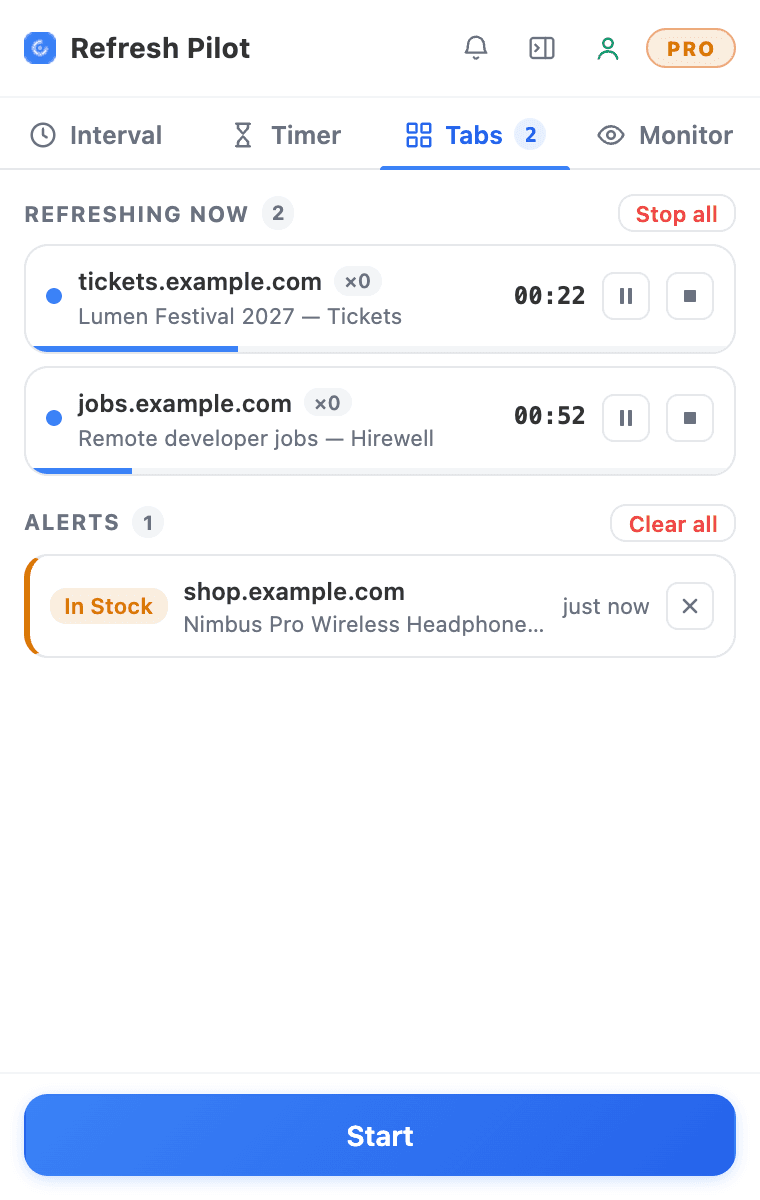
Multiple Chrome Tabs
Manage refresh and monitoring workflows across multiple active Chrome tabs and automate repetitive checking across different webpages.
Auto-Start URLs
Use supported URL rules to automatically start monitoring when matching webpages are opened.
Keyboard Shortcuts
Use supported keyboard shortcuts to control RefreshPilot without relying entirely on the mouse.
Everyday workflows
Chrome Auto Refresh for Everyday Workflows
RefreshPilot is designed to remove repetitive browser tasks from your daily workflow.
Instead of:
Open page → Refresh → Check → Refresh → Check → Repeat
You can create:
Set Refresh → Monitor → Wait → Get Alert
This approach makes auto refresh useful for both simple page reloading and advanced webpage monitoring. You can configure the refresh timing, define what information matters, and receive an alert when the selected condition is detected.
Whether you need a basic Chrome auto refresh extension for one page or a more advanced monitoring workflow across multiple tabs, RefreshPilot gives you configurable tools to automate repetitive browser tasks.
Free plan
Free Auto Refresh Chrome Extension
Start using RefreshPilot with the free plan and automate everyday webpage refreshing without repeatedly pressing the refresh button yourself.
Use the auto refresh Chrome extension for simple page reloads or combine refreshing with keyword monitoring, change detection, notifications, and supported automation features when you need a more advanced workflow.
- Free plan
- Easy setup
- No credit card required
FAQ
Frequently Asked Questions About Auto Refresh Chrome
Quick answers about refreshing, monitoring and alerts. Anything missing? We reply within one business day.
Still have questions?
Tell us what you're monitoring — we answer every message within one business day.
Contact supportHow do I auto refresh a page in Chrome?
Install RefreshPilot, open the webpage you want to refresh, choose your preferred refresh interval, and click Start. The extension will automatically reload the page according to your selected schedule.
How do I auto refresh a Chrome page every 5 seconds?
Open RefreshPilot on the webpage you want to refresh and select the 5-second interval. Start the workflow and RefreshPilot will handle the repeated page reloads automatically.
Can I set a custom auto refresh interval?
Yes. RefreshPilot supports custom timing, allowing you to create a refresh schedule based on your specific requirements.
Can I use random intervals instead of fixed schedules?
Yes. Select the Random interval option and set the minimum and maximum timing range for your refresh workflow.
Can I monitor a webpage for a keyword?
Yes. Add the word or phrase you want to monitor and RefreshPilot can check the webpage during each auto refresh cycle.
Can I monitor a specific section of a webpage?
Yes. You can use supported CSS selectors to focus monitoring on a specific webpage region instead of monitoring the entire page.
Can RefreshPilot detect webpage changes?
Yes. RefreshPilot supports webpage change monitoring and can detect supported changes during your refresh and monitoring workflow.
Can RefreshPilot auto-click a button when it appears?
Yes. Supported auto-click functionality can automatically interact with a matching button or link when the configured condition is detected.
Can I receive alerts when a website changes?
Yes. Depending on your configuration, RefreshPilot supports desktop notifications, sound alerts, email notifications, and webhooks.
Can I use RefreshPilot for product restocks or ticket availability?
Yes. You can combine auto refresh with keyword or webpage monitoring to watch supported product, ticket, or availability pages for relevant changes.
Does RefreshPilot work with Chrome?
Yes. RefreshPilot is designed for Chrome and Chromium-based browsers.
Get started
Start Automatically Refreshing and Monitoring Webpages
Stop repeatedly pressing refresh and checking the same webpage.
RefreshPilot lets you auto refresh Chrome tabs, monitor webpages for keywords and changes, automate supported browser actions, and receive alerts when something important happens.
Whether you are monitoring product availability, ticket pages, appointment portals, dashboards, prices, job listings, or other frequently updated webpages, RefreshPilot helps turn repetitive browser checking into an automated workflow.
- No credit card required
- Instant Setup
- Free & PRO plans available